User Flow
Happy path and unhappy path, drawn before the screens. Figma, Arabic and English, light and dark.
What is a user flow?
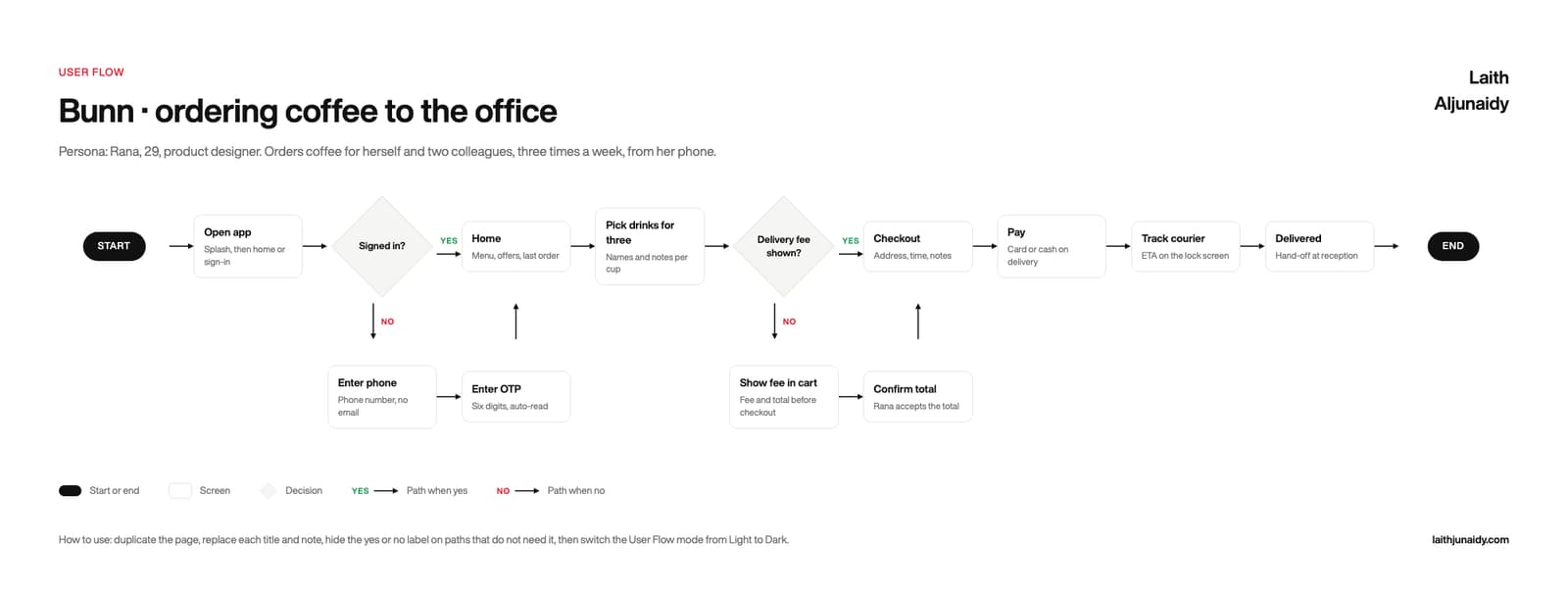
A user flow is a diagram of the steps a user takes through a product, drawn before the screens exist. It uses start and end points, screen cards, and decision diamonds with a yes path and a no path, so the unhappy path is drawn with the same care as the happy path.
- downloads17
- Files3
- LanguagesEN and AR
- FormatsFigma and PDF
- Updated
What is inside
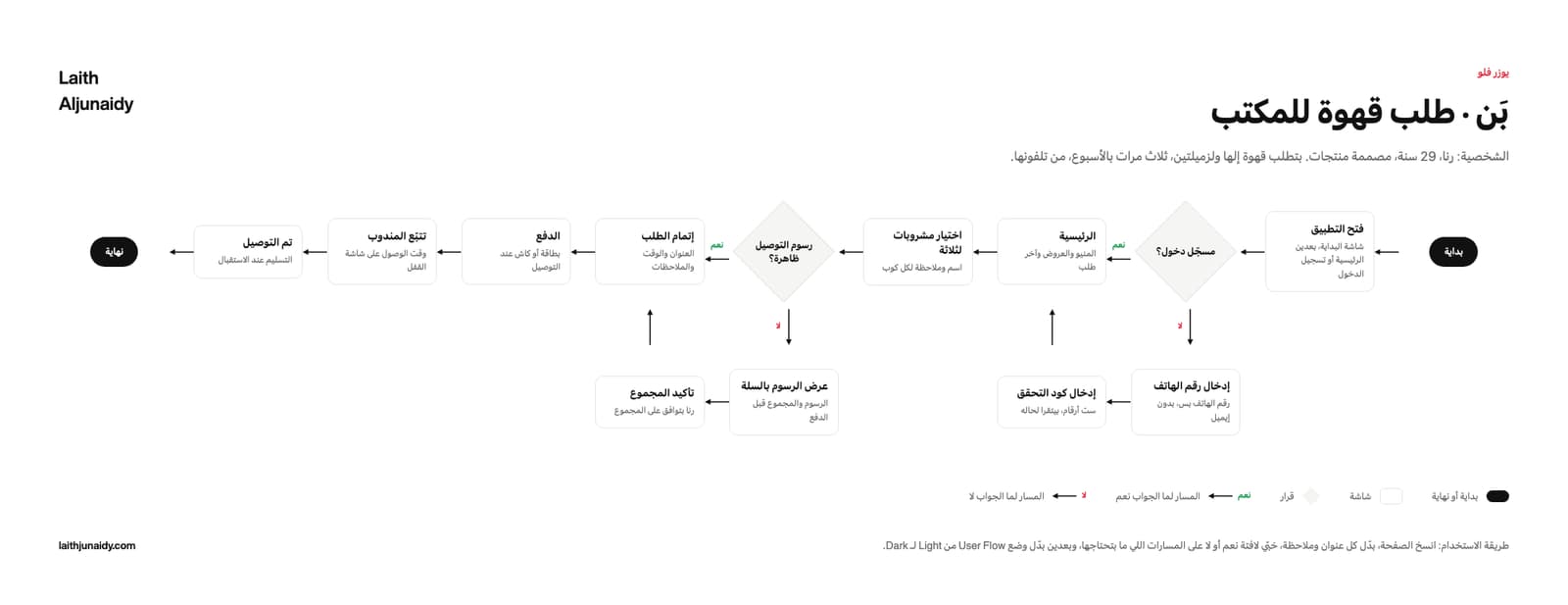
The User Flow is a free Figma template by Laith Aljunaidy for drawing the happy path and the unhappy path before the screens exist. Start and end pills, screen cards as components, decision diamonds with a yes path and a no path, labelled paths in green and red, and a legend. One Figma file with four pages, English and Arabic, light and dark, on one variable collection, plus an 8 page PDF guide. Free on Gumroad. The Pro edition, 10 dollars, adds five Claude prompts, a facilitation guide, a second worked example, and a Claude Code skill.
The flow lives in a chat thread. Engineering builds the happy path, and the first question in QA is what happens when she is not signed in.
What is on the User Flow board?
The User Flow board is one Figma canvas with five parts, built in 2026 with auto layout so every cell grows as you type:
- Start and end. Two black pills that close the flow at both ends, so there is never an argument about where it begins or what counts as finished.
- Screen cards. A bold screen title and a note line under it saying what is actually on that screen. A component, so renaming one does not mean redrawing it.
- Decision diamonds. A question with a yes path and a no path off it. The no branch drops below the main line, does its work, and returns, so no two arrows cross.
- Labelled paths. Every path carries its own label, green for yes and red for no. Hide the label on paths that do not need one.
- The legend. A row naming the four pieces: start or end, screen, decision, path when yes, path when no. Every colour is a variable, so dark mode is one switch.
What changes when you use the User Flow?
The User Flow template is a fix for six common habits in how teams run this step. Each of the 6 pairs below shows the habit first, then what the template puts in its place. For example, the template turns a flow described in a chat thread into a board with a start and an end.
- Before: A flow described in a chat thread.
After: A board with a start and an end. - Before: The happy path only.
After: A no branch off every decision. - Before: Boxes redrawn by hand each time.
After: Screens and decisions as components. - Before: Colours hard coded into the shapes.
After: Every colour a variable, dark in one switch. - Before: Arrows crossing each other.
After: The no branch drops below and returns. - Before: An Arabic flow mirrored from the English one.
After: A flow that starts on the right and ends on the left.
What is in the User Flow download?
The free User Flow download is one Figma file with four pages, English light, English dark, Arabic light and Arabic dark, on one variable collection, plus a 8 page PDF guide, made in 2026 with Figma variables. The Pro edition costs $10 and adds five Claude prompts, a facilitation guide, a second worked example and a Claude Code skill.
- FIG The template. One Figma file, four pages: English light, English dark, Arabic light, Arabic dark, all on one variable collection. Auto layout throughout, so every cell grows as you type.
- PDF The guide. 8 pages: the four boards, a five step how to use, and a glossary of every field with its Arabic label beside it.
- PDF, MD Pro. Five Claude prompts: fill it from my notes, critique it, Arabic edition, turn it into insights, push it to Figma.
- PDF Pro. The facilitation guide. A thirty minute session: what to ask, in what order, and how to close it.
- FIG Pro. A second worked example in a second market, as its own Figma file, so you can read the method instead of guessing at it.
- FOLDER Pro. The Claude Code skill. Point it at your notes folder and it fills the board, then writes it into your own Figma file by layer name.
Who is the User Flow for, and when should you run it?
The User Flow is for the handover between design and engineering, and for the moment before it when you still have to decide what happens on the unhappy path. Draw it before the screens, not after them.
In practice, keep the User Flow beside the design file, where the team can reread it before each decision. Two editions. Free: the Figma file and the 8 page PDF guide. Pro, $10: adds the five Claude prompts, the facilitation guide, the second worked example and the Claude Code skill.
Paid
Go further with the paid kits
The nine templates at their Pro edition in one kit, or your design system as a folder Claude reads.